
Getting Started with LuminaPV: A Comprehensive Guide
Getting Started with LuminaPV: A Comprehensive Guide to Solar Project Management
Solar project development is complex, time-consuming, and requires expertise across multiple disciplines. What if you could streamline the entire process—from initial site assessment to final commissioning—using a single, comprehensive platform? LuminaPV makes this a reality.
LuminaPV is a comprehensive Solar Project Operating System (Solar OS) that transforms how solar professionals design, simulate, finance, and manage solar installations. Built by Atlas Bridge for industry professionals, LuminaPV combines cutting-edge technology with practical workflows to deliver projects 50% faster while reducing costs by 30%.
Whether you’re a solar developer, EPC contractor, engineer, or installer, this guide will help you unlock LuminaPV’s full potential and accelerate your solar projects.
What Makes LuminaPV Different?
Traditional solar project workflows involve juggling multiple disconnected tools: spreadsheet-based financial models, separate design software, manual compliance checking, and fragmented project management systems. This approach leads to:
- Time waste transferring data between systems
- Human errors from manual calculations
- Inconsistent results across different tools
- Compliance risks from outdated code references
- Project delays due to inefficient workflows
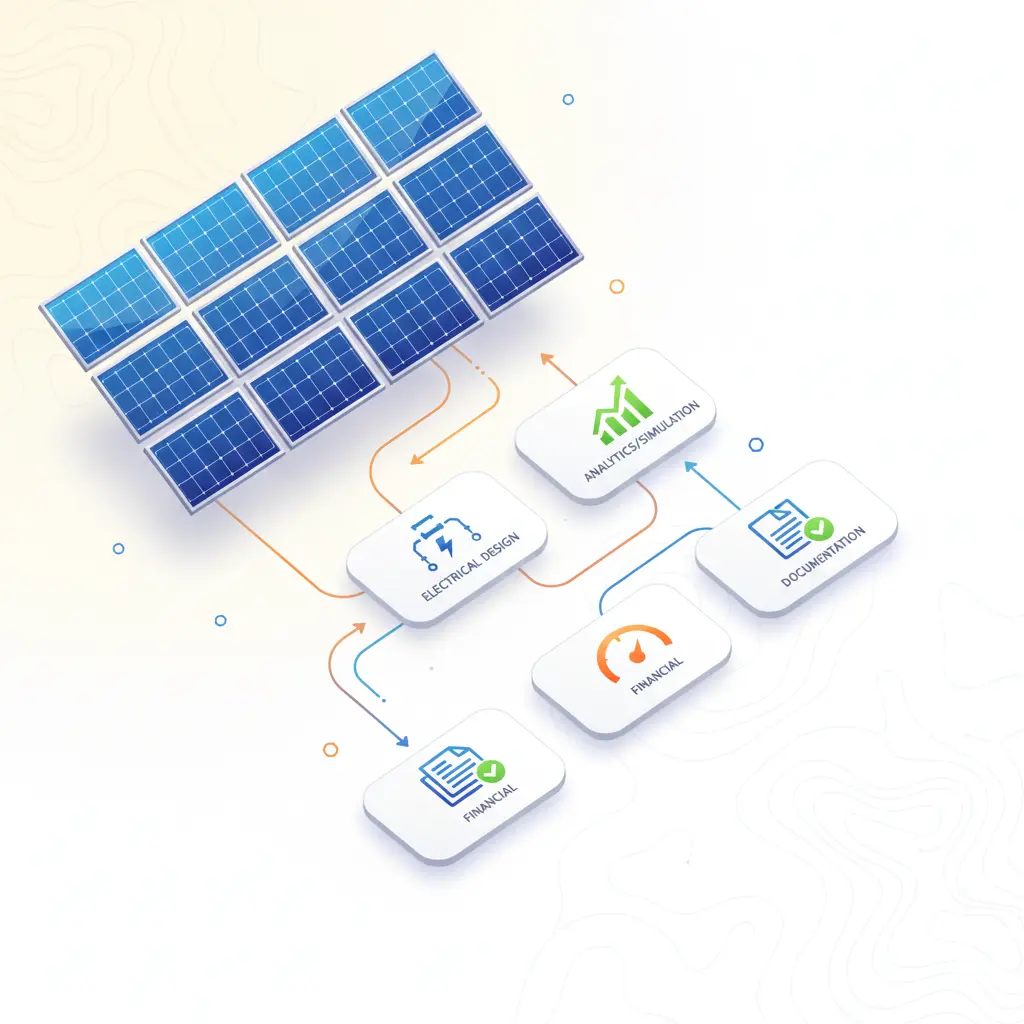
LuminaPV solves these challenges by providing an integrated platform where design, simulation, financial analysis, compliance checking, and project management work seamlessly together.
Key Differentiators
- All-in-One Platform - Design → Finance → Compliance → Management in one place
- DML (Diagram Markup Language) - Generate professional SLDs using natural language
- Multi-Standard Compliance - Automatic NEC, IEC, and AS-NZS code validation
- Wizard-Guided Workflows - Step-by-step guidance for all project types
- AI-Powered Automation - Intelligent optimization and error detection
- Real-Time Collaboration - Team-based project management
Core Systems Overview
LuminaPV’s architecture centers around seven interconnected systems:
1. Wizard System - Guided Project Workflows
LuminaPV’s wizard system guides users through solar project development with intelligent, step-by-step workflows tailored to different project scales.
Project Types:
- Residential PV - 8 steps, ~20 minutes, single-phase systems up to 10kW
- Commercial PV - 8 steps, ~35 minutes, three-phase systems up to 500kW
- Industrial PV - 8 steps, ~45 minutes, complex multi-array configurations
- Utility-Scale PV - 8 steps, ~60 minutes, megawatt-scale installations
Each wizard includes:
- Pre-configured templates based on project type
- Smart defaults based on location and regulations
- Contextual help and documentation
- Automatic validation at each step
- Progress saving and resumption
Benefits:
- Reduced training time for new team members
- Consistent quality across all projects
- Faster project delivery
- Lower error rates
2. Professional SLD Editor with DML
LuminaPV’s Single Line Diagram (SLD) Editor revolutionizes electrical system design through Diagram Markup Language (DML)—a breakthrough feature that lets you create professional diagrams using natural language commands.
DML Capabilities:
Instead of manually dragging components onto a canvas, simply type commands like:
"draw 4 solar panels on left""add string combiner in center""connect inverter to main panel""add disconnect switch before inverter"
The system automatically:
- Parses your commands using advanced NLP
- Optimizes component layout using AI algorithms
- Generates NEC-compliant wiring
- Validates electrical connections
- Positions components for optimal performance
SLD Editor Features:
- 20+ Electrical Components - Inverters, combiners, disconnects, breakers, transformers, fuses, MCBs, surge protectors
- Automatic Wire Sizing - Calculates gauge based on current, distance, and code requirements
- NEC Compliance Checking - Real-time validation against current code standards
- Multiple Export Formats - PDF, DWG/DXF, PNG, IEC 60617
- Template Library - Pre-designed diagrams for common configurations
- Version Control - Track changes and compare iterations
Use Cases:
- Rapid prototyping of system configurations
- Educational tool for training and onboarding
- Client presentation with professional diagrams
- Permit application documentation
3. Multi-Standard BOS (Balance of System) Calculations
LuminaPV’s BaseBOS component provides automatic balance of system calculations supporting multiple international standards.
Supported Standards:
- NEC (National Electrical Code) - United States
- IEC (International Electrotechnical Commission) - Global
- AS-NZS (Australia/New Zealand Standard) - Australia and New Zealand
Auto-Detection:
- System automatically detects applicable standard based on 30+ country codes
- Updates calculations when location changes
- Maintains compliance across jurisdictions
BOS Calculations Include:
- Conduit sizing and fill calculations
- Voltage drop analysis
- Short circuit current calculations
- Ground fault protection
- Arc fault circuit interrupter (AFCI) requirements
- Rapid shutdown compliance (NEC 2026)
- Equipment grounding conductor sizing
- Disconnect requirements
4. Financial Analysis Engine
LuminaPV’s financial modeling system generates investor-ready financial models with comprehensive analysis capabilities.
Core Calculations:
- ROI (Return on Investment) - Total return percentage
- NPV (Net Present Value) - Present value of future cash flows
- IRR (Internal Rate of Return) - Annualized rate of return
- LCOE (Levelized Cost of Energy) - Cost per kWh over system lifetime
- Payback Period - Time to recover initial investment
Advanced Features:
- Cash Flow Projections - Year-by-year modeling with month-level granularity
- Sensitivity Analysis - Test impact of changing variables (panel price, electricity rates, degradation)
- Scenario Planning - Compare optimistic, realistic, and pessimistic projections
- Incentive Modeling - US ITC, state rebates, international incentives (Tunisia FTE, etc.)
- Tax Analysis - Depreciation schedules (MACRS), tax credits, tax equity structures
- Risk Assessment - Monte Carlo simulations for probability-based projections
Export Options:
- Excel financial models with formulas
- PDF executive summaries
- Investor pitch decks
- Bank loan applications
5. PV Simulation & Production Modeling
LuminaPV’s simulation engine uses multiple validated data sources for accurate production predictions.
Data Sources:
- PVGIS - European Commission Joint Research Centre data for European locations
- NASA POWER - Global meteorological data for worldwide coverage
- Open-Meteo - High-resolution weather forecasts for detailed analysis
- Meteostat - Historical weather data for long-term trends
Simulation Features:
- Hourly Production Modeling - Calculate output for each hour of the year
- Shading Analysis - Account for obstructions and horizon shading
- Temperature Effects - Model panel and inverter efficiency at various temperatures
- Degradation Modeling - Account for annual performance decline
- Soiling Losses - Estimate impact of dust and dirt accumulation
- Mismatch Losses - Calculate losses from panel variations
- DC/AC Losses - Account for wiring and inverter efficiency
Validation:
- Cross-reference multiple data sources
- Compare against nearby installations
- Validate against production guarantees
- Identify anomalies for investigation
6. Site Assessment & Opportunity Analysis
LuminaPV’s site assessment tools enable rapid opportunity evaluation using AI-powered analysis.
Data Sources:
- Utility Data Upload - Automatic load profile generation from electricity bills
- Satellite Imagery - Google Earth integration for site visualization
- Terrain Analysis - Assess grading requirements and drainage
- Grid Interconnection - Evaluate utility connection feasibility
- Zoning & Permitting - Research local regulations and restrictions
Analysis Outputs:
- Viability Score - AI-generated assessment with confidence rating
- Site Constraints - Identify potential issues early
- Optimization Opportunities - Recommend improvements
- Resource Assessment - Solar irradiance and weather analysis
- Economic Potential - Preliminary financial feasibility
Benefits:
- Reduce time from weeks to minutes for initial assessment
- Focus resources on viable opportunities
- Improve project success rate
- Better resource allocation
7. Project Management & Monitoring
LuminaPV provides end-to-end project lifecycle management with real-time tracking and collaboration.
Project Management Features:
- Task Assignment - Delegate work to team members
- Progress Tracking - Real-time status updates
- Document Management - Centralized repository for all project files
- Communication - Team messaging and notifications
- Timeline Management - Gantt charts and milestone tracking
- Resource Allocation - Track equipment, personnel, and budgets
Performance Monitoring:
- Real-Time Data - Monitor actual vs. predicted production
- Anomaly Detection - Identify performance issues immediately
- Maintenance Alerts - Proactive notifications for service needs
- Reporting - Automated reports for stakeholders
- Warranty Tracking - Monitor equipment warranties and service contracts
Collaboration Tools:
- Role-Based Access - Control who sees what
- Comments & Annotations - Collaborative design review
- Version Control - Track all changes with audit trails
- Activity Feed - See all project activity in one place
Setting Up Your First Project
Follow this step-by-step guide to create your first LuminaPV project:
Step 1: Create Your Account
- Visit the LuminaPV platform
- Sign up using your email or company SSO
- Complete your profile with company information
- Verify your email address
- Set up your team (invite colleagues)
Initial Setup Includes:
- Company profile and branding
- Team member roles and permissions
- Preferred units of measurement
- Default location and currency
- Email notification preferences
Step 2: Create a New Project
-
Click “New Project” from the dashboard
-
Select project type (Residential, Commercial, Industrial, or Utility-Scale)
-
Enter basic information:
- Project name
- Location (city, state/province, country)
- Estimated system size
- Project timeline
- Budget range
-
Choose a wizard workflow:
- Guided Mode - Step-by-step assistance
- Expert Mode - Advanced features for experienced users
Step 3: Site Assessment (Optional but Recommended)
- Upload utility data (electricity bills or interval data)
- Upload site photos or satellite imagery
- Set site constraints (setbacks, easements, obstacles)
- Review auto-generated viability score
- Adjust assumptions based on your knowledge
Outputs:
- Site suitability rating
- Estimated annual production
- Preliminary financial projections
- Potential issues to address
Step 4: System Design Using the Wizard
The wizard guides you through system configuration:
Phase 1: Site & System Basics
- Location and weather data
- Roof type and orientation (or ground-mount specifications)
- System size and configuration
- Panel and inverter preferences
Phase 2: Electrical Design
- String sizing and configuration
- Combiner boxes and disconnects
- Conduit runs and wire gauges
- Main electrical panel specifications
Phase 3: Design Review
- Review SLD generated from your inputs
- Use DML commands for modifications (optional)
- Validate electrical calculations
- Check compliance with applicable code
Phase 4: Production Modeling
- Run simulation using multiple data sources
- Review hourly production estimates
- Analyze seasonal variations
- Compare against benchmarks
Step 5: Financial Analysis
-
Enter project costs:
- Equipment (panels, inverters, BOS)
- Installation labor
- Permits and inspections
- Engineering and design
- Project management
-
Configure revenue assumptions:
- Electricity rates (current and escalation)
- Net metering or feed-in tariffs
- Renewable energy certificates
-
Set up incentives:
- Federal tax credits (ITC)
- State and local rebates
- Accelerated depreciation (MACRS)
- International incentives
-
Run financial analysis:
- Review ROI, NPV, IRR results
- Analyze sensitivity to key variables
- Generate cash flow projections
- Compare scenarios
Step 6: Documentation & Compliance
LuminaPV automatically generates:
- System Specifications - Complete equipment lists and ratings
- Electrical Drawings - Professional SLDs ready for permits
- Installation Instructions - Step-by-step mounting and wiring guides
- Code Compliance Reports - NEC/ IEC/ AS-NZS validation
- Production Estimates - Year-one and lifetime projections
- Financial Models - Investor-ready Excel models
Step 7: Export & Share
Export Options:
- PDF Reports - Client presentations and permit applications
- Excel Models - Detailed financial analysis with formulas
- CAD Files - DWG/DXF for engineering drawings
- Image Files - PNG/SVG for presentations
- Data Files - CSV for further analysis
Sharing Features:
- Generate shareable links with expiration dates
- Set view-only or comment permissions
- Track who has accessed documents
- Version control for iterative feedback
Advanced Features for Power Users
DML (Diagram Markup Language) Deep Dive
While the wizard creates diagrams automatically, power users can leverage DML for custom designs:
Basic DML Commands:
# Add components
draw 20 solar panels
add string inverter
place combiner box

# Specify connections
connect panels to combiner
connect combiner to inverter
connect inverter to main panel

# Add protection
add dc disconnect before inverter
add ac disconnect after inverter
add surge protector

# Set properties
set panel tilt 30 degrees
set azimuth 180 degrees
set string size 10 panels
Advanced DML:
# Layout optimization
optimize layout for maximum production
auto-balance strings
minimize wire length

# Compliance checks
validate nec compliance
check rapid shutdown
verify conductor sizing

# Annotations
label "Array 1"
note "Use 6 AWG or larger"
add warning "DC disconnect required"
DML Workflow:
- Type commands in natural language
- System parses and validates syntax
- AI optimizes component layout
- Generate professional SLD
- Export or modify as needed
Multi-Standard Compliance
LuminaPV’s compliance system supports three major standards:
NEC (National Electrical Code) - United States:
- 2020, 2023, and 2026 (draft) versions
- Rapid shutdown requirements
- Arc fault circuit interrupter (AFCI) rules
- Equipment grounding conductor sizing
- Disconnect location requirements
IEC Standards - International:
- IEC 61215 (panel certification)
- IEC 62109 (inverter safety)
- IEC 62446 (system documentation)
- IEC 60364 (electrical installations)
AS-NZS Standards - Australia/New Zealand:
- AS/NZS 5033 (installation requirements)
- AS/NZS 4777 (grid connection)
- AS/NZS 3000 (wiring rules)
Automatic Standard Selection:
- Detects location from project settings
- Applies relevant standard automatically
- Updates calculations when standard changes
- Maintains compliance across jurisdictions
Financial Modeling Advanced Techniques
Sensitivity Analysis: Test how changes in key variables affect project economics:
- Panel Price - Test scenarios from $0.20/W to $0.50/W
- Electricity Rate - Model 2%, 4%, and 6% annual escalation
- System Degradation - Compare 0.5%, 0.7%, and 1.0% annual decline
- Interest Rates - Analyze impact of changing financing costs
Scenario Planning:
- Best Case - Low costs, high production, strong incentives
- Most Likely - Realistic assumptions based on current market
- Worst Case - High costs, low production, weak incentives
- Custom - Define your own assumptions
Tax Equity Modeling:
- Partnership flip structures
- Sale-leaseback arrangements
- Yieldcos and REITs
- International tax structures
Site Assessment & Shading Analysis
Shading Analysis Tools:
- Horizon Shading - Account for distant mountains or buildings
- On-Site Obstructions - Trees, poles, antennas, other buildings
- Row-to-Row Shading - Inter-row shading for ground-mount arrays
- Temporal Shading - Track shading changes throughout the day/year
Analysis Features:
- 3D visualization of shading patterns
- Hourly shading factor calculations
- Impact on production (kWh/year loss)
- Optimization recommendations (tilt, spacing, orientation)
Utility Data Processing:
- Upload electricity bills (PDF or CSV)
- Automatic interval data parsing
- Load profile generation and visualization
- Peak demand analysis
- Rate schedule optimization
Industry-Specific Workflows
For Solar Developers
End-to-End Project Management:
- Use site assessment tools to identify opportunities
- Rapid feasibility analysis with AI-powered scoring
- Wizard-guided design for consistent quality
- Investor-ready financial models
- Permit-ready documentation
- Project tracking through commissioning
- Performance monitoring post-deployment
Key Benefits:
- Faster site evaluation
- Higher project success rate
- Improved investor confidence
- Reduced development timeline
For EPC Contractors
Streamlined Design & Execution:
- Standardized design templates
- Automated material takeoffs
- Cost estimation and quoting
- Project scheduling and resource allocation
- Quality control checklists
- Commissioning documentation
Key Benefits:
- Reduced engineering time
- Consistent design quality
- Accurate material ordering
- Faster project delivery
For Investors & Financiers
Comprehensive Due Diligence:
- Bankable financial models
- Sensitivity and scenario analysis
- Risk assessment and mitigation
- Performance validation
- O&M planning and costs
- Exit strategy modeling
Key Benefits:
- Faster due diligence
- Reduced investment risk
- Clear return projections
- Portfolio analysis tools
Best Practices for Success
Data Quality
Accurate Site Information:
- Use professional surveys for complex sites
- Measure roof dimensions and orientations
- Document all obstructions with photos
- Verify electrical infrastructure capacity
Financial Assumptions:
- Use current, local electricity rates
- Research available incentives thoroughly
- Validate equipment pricing with vendors
- Account for realistic degradation rates
Model Validation
Compare Against Benchmarks:
- Review similar installations in the area
- Compare production estimates with nearby systems
- Validate financial projections against market data
- Check compliance assumptions with local code officials
Documentation
Maintain Detailed Records:
- Save all calculations and assumptions
- Document design decisions and rationale
- Track code versions and effective dates
- Archive correspondence with authorities
Continuous Learning
Stay Updated:
- Monitor code changes (NEC updates every 3 years)
- Track technology improvements and cost trends
- Review best practices from industry peers
- Attend webinars and training sessions
Integration with External Tools
LuminaPV is designed to work seamlessly with your existing tools:
CRM Systems:
- Salesforce, HubSpot, Pipedrive integration
- Sync project data and pipeline stages
- Automatic lead assignment and tracking
Accounting Software:
- QuickBooks, Xero, NetSuite integration
- Sync project budgets and actual costs
- Generate invoices and track payments
Document Management:
- Google Drive, SharePoint, Dropbox integration
- Automatic file synchronization
- Version control and access management
Communication Tools:
- Slack, Microsoft Teams integration
- Project notifications and updates
- Team collaboration and discussion
GIS & Mapping:
- Google Earth, ArcGIS integration
- Satellite imagery and terrain analysis
- Property boundary and easement data
Weather APIs:
- Real-time weather monitoring
- Production adjustments for weather
- Long-term climate trends
Troubleshooting Common Issues
Design Problems
Issue: System size exceeds electrical infrastructure capacity Solution:
- Reduce system size
- Upgrade electrical service
- Use higher efficiency equipment
- Split system into multiple arrays
Issue: Shading analysis shows significant losses Solution:
- Adjust panel layout and spacing
- Consider micro-inverters or optimizers
- Implement bypass strategies
- Reassess project viability
Financial Modeling Issues
Issue: Financial returns below expectations Solution:
- Optimize system design for production
- Reduce costs through design changes
- Research additional incentives
- Adjust financing terms
Issue: Sensitivity analysis shows high risk Solution:
- Focus on controllable variables
- Add conservative assumptions
- Consider project alternatives
- Develop risk mitigation strategies
Compliance Issues
Issue: Design fails code compliance check Solution:
- Review specific code requirements
- Adjust design accordingly
- Consult local authority having jurisdiction
- Update system configuration
Issue: Conflicting code requirements Solution:
- Verify applicable code version
- Check local amendments and adoptions
- Consult with licensed professionals
- Document interpretation rationale
Measuring Success
Track these key performance indicators (KPIs) to measure your success with LuminaPV:
Time Savings
Project Timeline Reduction:
- Feasibility analysis: Weeks → Minutes
- System design: Days → Hours
- Financial modeling: Days → Hours
- Documentation: Days → Minutes
Target Metrics:
- 50% reduction in design time
- 40% reduction in project timeline
- 60% reduction in documentation time
Cost Reduction
Engineering Costs:
- Design labor reduction
- Reduced rework and corrections
- Lower training costs
- Reduced permitting delays
Target Metrics:
- 30% reduction in engineering costs
- 50% reduction in design errors
- 40% reduction in project delays
Quality Improvements
Design Consistency:
- Standardized templates
- Automated calculations
- Code compliance checking
- Version control
Target Metrics:
- 100% code compliance rate
- 90% reduction in calculation errors
- 75% reduction in design revisions
Project Outcomes
Business Results:
- Increased project capacity per team
- Higher project success rate
- Improved client satisfaction
- Enhanced competitive positioning
Target Metrics:
- 3x increase in projects per team
- 90% project success rate
- 95% client satisfaction
Next Steps
Explore LuminaPV Further
Learn More:
- Visit the Features page for detailed capability descriptions
- Review Solutions for industry-specific workflows
- Check Pricing to find the right plan
- Browse Documentation for technical details
Get Hands-On Experience
Request a Demo:
- Schedule a personalized demo with our team
- See LuminaPV in action with your projects
- Ask questions about your specific use case
- Explore integration options
Start Free Trial:
- Access all core features
- Create and manage sample projects
- Test wizard workflows and DML
- Experience the full platform
Join the Community
Early Access Program:
- Be first to access new features
- Provide feedback for product development
- Connect with other solar professionals
- Access exclusive training resources
Support & Training:
- Comprehensive documentation and tutorials
- Live training webinars
- Email and chat support
- On-site training for teams
Conclusion
LuminaPV represents a fundamental shift in how solar projects are designed, analyzed, and managed. By consolidating multiple tools into a single, intelligent platform, LuminaPV enables solar professionals to:
- Deliver projects 50% faster through automated workflows
- Reduce engineering costs by 30% with intelligent design tools
- Increase project capacity 3x with streamlined processes
- Ensure compliance automatically across multiple code standards
- Generate professional documentation in minutes, not days
Whether you’re designing your first residential system or managing utility-scale solar farms, LuminaPV provides the tools, workflows, and intelligence needed to succeed in today’s competitive solar market.
The solar industry is rapidly evolving, and LuminaPV evolves with it. With continuous updates to compliance codes, financial models, and technology integrations, LuminaPV ensures you’re always working with the latest standards and best practices.
Ready to transform your solar workflow? Request a demo or start your free trial today and experience the future of solar project management.
Need help getting started? Our team of solar professionals is here to support you. Contact us at support@atlas-bridge.com or visit our Help Center for tutorials, documentation, and training resources.
Atlas Bridge Team
Solar industry expert and technology innovator. Passionate about accelerating the clean energy transition through intelligent automation.
Ready to Transform Your Solar Projects?
Join the LuminaPV early access program and experience the future of solar project management.